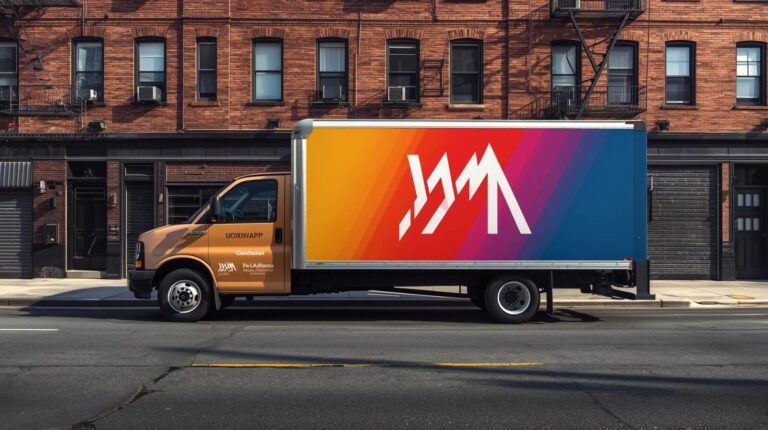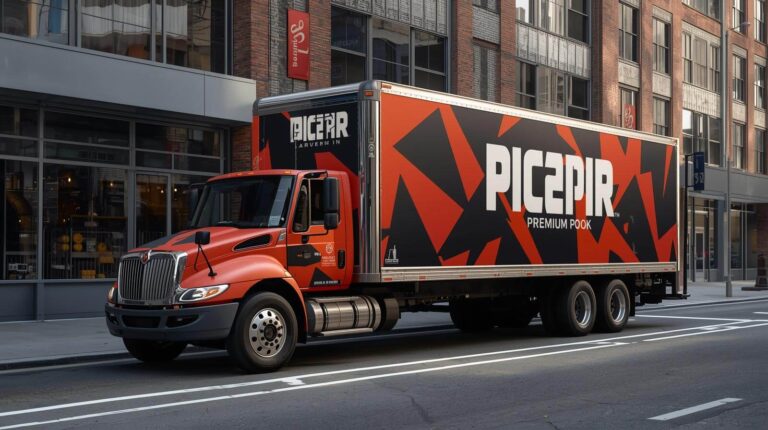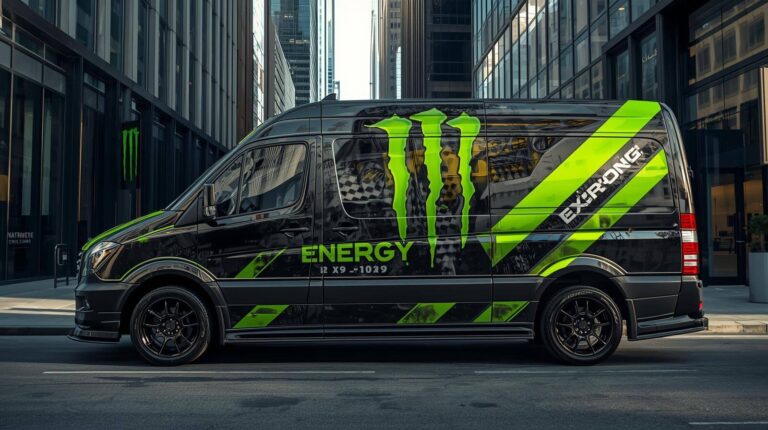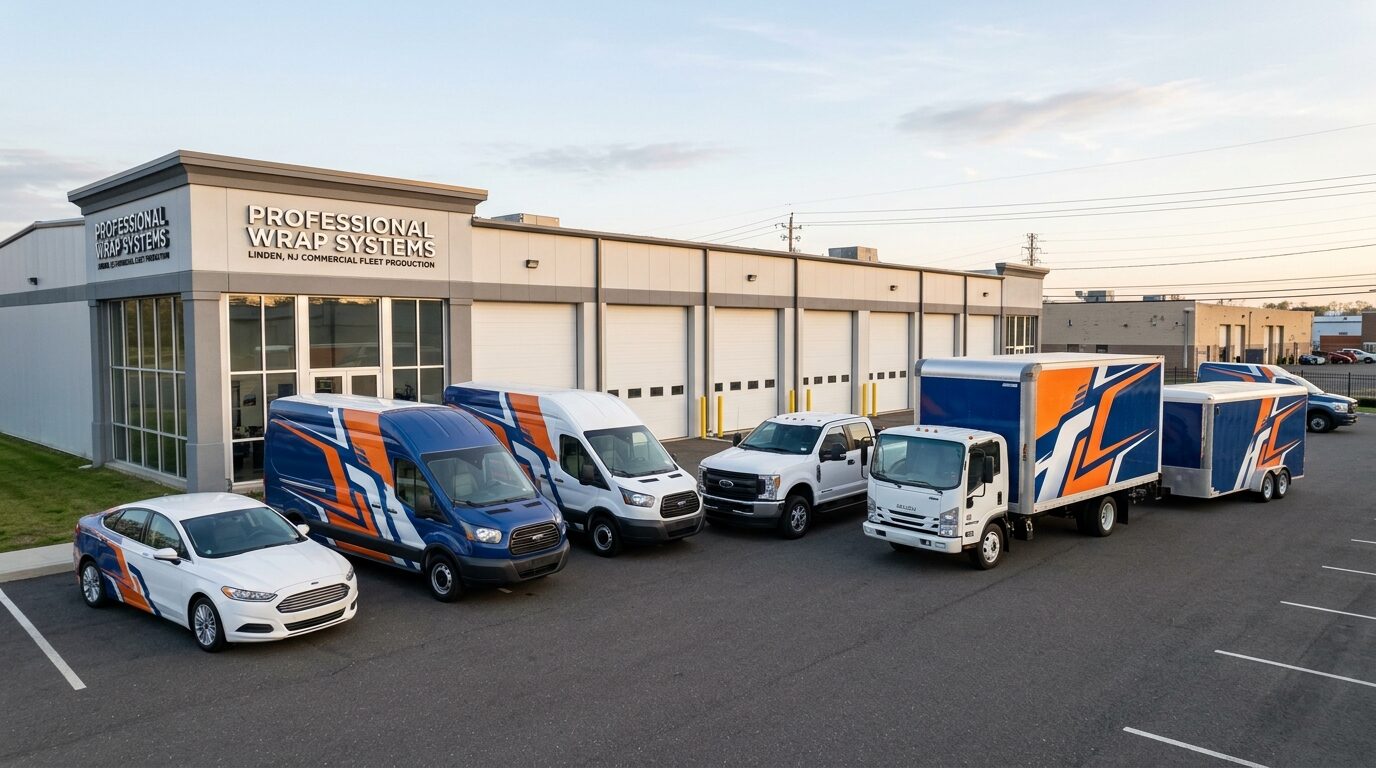
A fleet can share one brand without using one identical wrap file.
Trucks, vans, cars, and trailers have different dimensions, viewing distances, doors, windows, body lines, equipment, and usable graphic areas. A design created for a box truck cannot simply be reduced until it fits a car. A van layout cannot be stretched across a trailer without affecting image proportions, spacing, and readability.
The brand should remain recognizable, but the composition must be rebuilt for each vehicle category.
At Pixel Wraps, we begin with a shared fleet graphics system and then create vehicle-specific layouts. This allows us to preserve the logo, colors, typography, and message while adapting the graphics to the vehicle that will carry them. 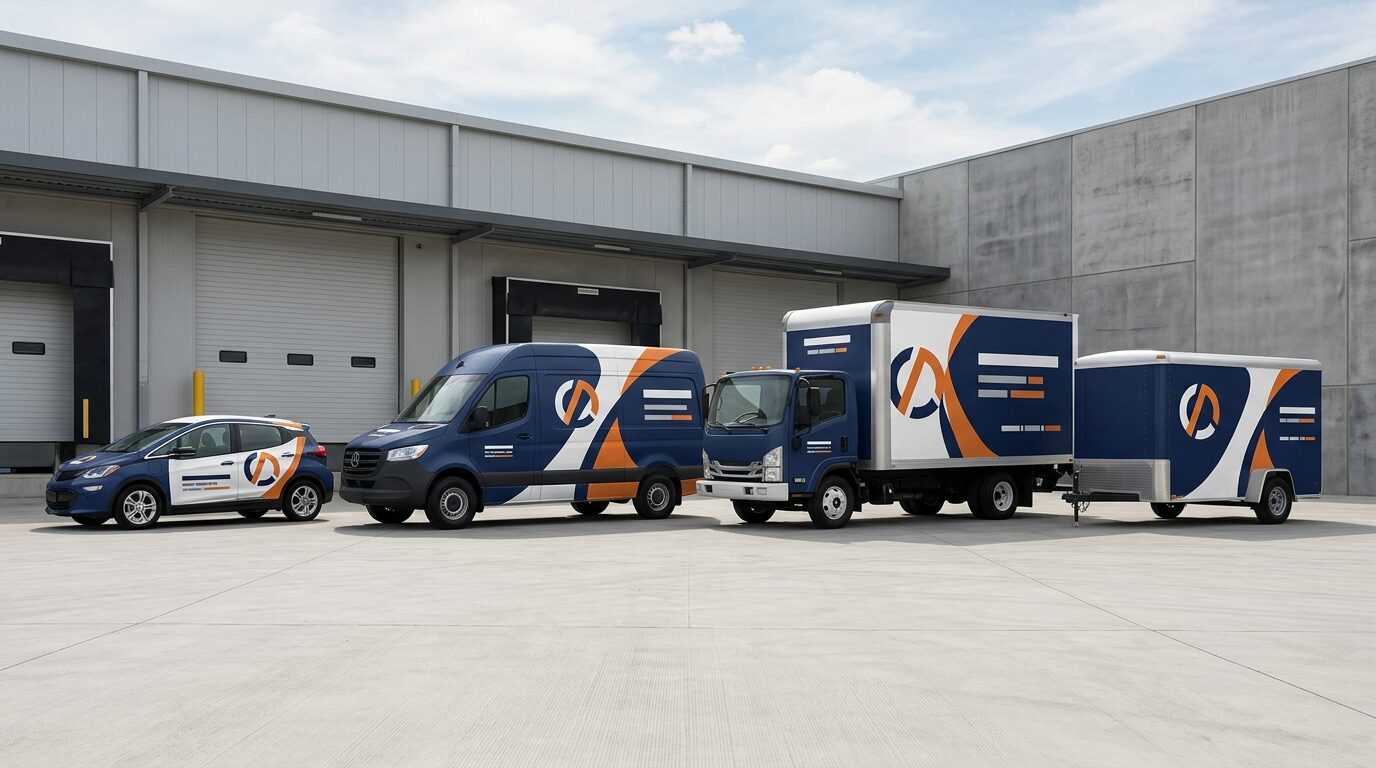
Start With a Brand System, Not a Finished Vehicle File
The first approved vehicle should establish the visual direction, but it should not become the only source file for the entire fleet.
Before adapting the design, separate it into controlled components:
- Logo
- Brand colors
- Fonts
- Primary service category
- Supporting message
- Contact information
- Image style
- Graphic shapes
- Pattern or texture
- Vehicle numbering
- Regulatory information
- Call to action
These elements form the fleet graphics system.
The designer can then decide which components must remain on every vehicle and which can be reduced, repositioned, or removed when space changes.
Create Three Levels of Content
One of the biggest adaptation problems is trying to place the same amount of information on every vehicle.
A trailer may have room for a company name, service description, multiple capabilities, website, phone number, and large supporting image. A passenger car may only have room for the logo, business category, and website.
A tiered content system prevents smaller vehicles from becoming crowded.
Primary Content
Appears on every vehicle:
- Company name or logo
- Main service or business category
- Primary response method
Secondary Content
Appears where space and viewing conditions allow:
- Selected services
- Tagline
- Service area
- Short supporting claim
- Secondary response method
Operational Content
Added according to the vehicle and applicable requirements:
- Unit number
- License information
- USDOT number
- MC number
- Capacity or safety markings
- Branch identification
This hierarchy allows the message to become shorter without changing the brand.
Keep the Same Visual Priorities
The exact layout can change, but the viewer should encounter information in the same general order.
For example:
- Company name
- Business category
- Main benefit or service
- Contact information
- Supporting details
On a box truck, all five levels may be visible. On a car, the design may stop after the third or fourth level.
The logo should not become a minor element on one vehicle and the dominant element on another without a clear reason. The business category should not disappear simply because the smaller vehicle has less room.
Adaptation works when content is removed from the bottom of the hierarchy rather than randomly reduced throughout the design.
Use the First Vehicle as a Design Reference
A representative vehicle can establish:
- Color balance
- Logo treatment
- Typography
- Graphic direction
- Image style
- Contact-information format
- Overall brand character
Once installed, the vehicle can also reveal how the design performs at full size.
However, the approved vehicle should function as a reference—not a file that gets distorted for every other body.
The designer should preserve the relationships that matter:
- Logo remains dominant
- Primary service remains clear
- Contact information remains readable
- Graphic shapes retain their character
- Images use similar treatment
- Colors appear in comparable proportions
The physical arrangement can be rebuilt around the next vehicle.
Do Not Scale the Entire Layout Proportionally
Uniform scaling makes every element smaller or larger at the same rate.
That may preserve the composition, but it does not preserve readability.
If a trailer design is scaled down to fit a van:
- The logo may become too small
- The phone number may no longer be readable
- Service lines may become crowded
- Photographs may lose impact
- Spacing may disappear
- Thin strokes may become weak
- The message may require too much viewing time
Instead, adapt each element independently.
The logo may stay relatively large. The service list may be reduced. The image may use a tighter crop. The phone number may move to a separate field. Secondary copy may be removed entirely.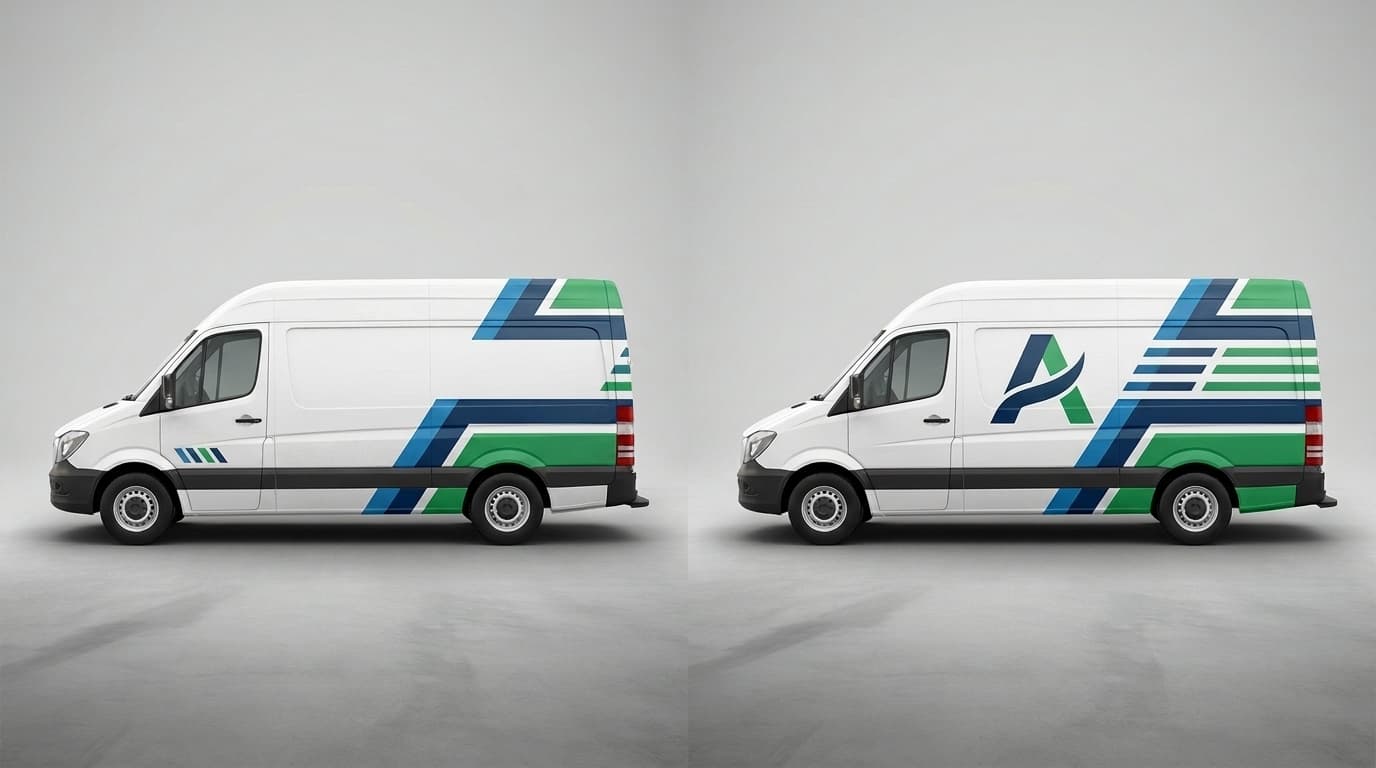
Adapt the Logo Without Altering It
The logo can change size and position, but its proportions should remain intact.
Do not:
- Stretch it horizontally
- Compress it vertically
- Separate its components without approval
- Change the typeface
- Rebuild it from a low-resolution image
- Use an unapproved color version
- Place it across a damaging body interruption
- Crop it to fill a panel
The company should provide approved variations where available:
- Horizontal logo
- Stacked logo
- Icon or symbol
- One-color logo
- Reversed logo
- Light-background version
- Dark-background version
A stacked logo may fit a truck door better, while the horizontal version may work across a trailer. Both can remain consistent if they are approved parts of the identity.
Adapt Graphic Shapes to the Body
A diagonal band, wave, pattern, or color block should respond to the vehicle’s geometry.
The same diagonal may:
- Rise across a van’s sliding door
- Follow the bed line of a pickup
- Extend along a trailer
- Become a smaller rear-quarter element on a car
- Connect the cab and cargo body of a box truck
The shape does not have to occupy the same percentage of every vehicle. It should retain enough of its direction and character to remain recognizable.
Vehicle templates and photographs help the designer account for:
- Character lines
- Wheel wells
- Windows
- Door gaps
- Handles
- Lights
- Fuel doors
- Cameras
- Sensors
- Trim
- Body contours
The design should work with these features rather than treating the body as a flat rectangle.
Adapt Photography by Re-Cropping It
Photography should not be stretched to fill a different panel.
A horizontal image used on a trailer may need a new crop for a tall van panel. A photograph that works on a box truck may contain important details that land behind a pickup wheel well.
When adapting imagery:
- Return to the original high-resolution file
- Create a new crop for each vehicle
- Keep faces away from seams
- Keep products away from handles
- Preserve the intended focal point
- Avoid placing important details over curved panels
- Maintain similar color treatment
- Remove the image from smaller layouts if it weakens the message
Not every vehicle needs the same photograph. It may be more consistent to use the same photographic style rather than repeat one image in unsuitable crops.
Plan the Design Around Each Vehicle’s Strongest Surface
Each body type has a different primary advertising area.
Box Trucks
The cargo body provides a large, relatively flat side. It can support:
- Large logo
- Clear service description
- Strong imagery
- Phone number or website
- Selected supporting services
The cab should still feel connected to the cargo-box design, but it does not need to repeat the entire message.
Cargo Vans
The side panel offers useful space but is divided by sliding doors, windows, handles, and body contours.
Van designs should account for:
- Door movement
- High and standard roofs
- Wheelbase
- Rear-door visibility
- Equipment racks
- Frequently handled areas
Pickup Trucks
The available space is divided between the cab and bed.
Pickup designs often work better with:
- Strong door logo
- Simplified bed graphics
- Website or phone number
- Clear primary service
- Limited supporting copy
Passenger Cars and SUVs
Curves, windows, wheel wells, and smaller panels limit the available message.
Prioritize:
- Logo
- Business category
- Website or phone number
- Recognizable color system
Trailers
Trailers offer long graphic surfaces but may include:
- Rivets
- Corrugations
- Hinges
- Side doors
- Reflective tape
- Fenders
- Rear hardware
- Regulatory markings
The message should be sized for longer viewing distances and highway conditions.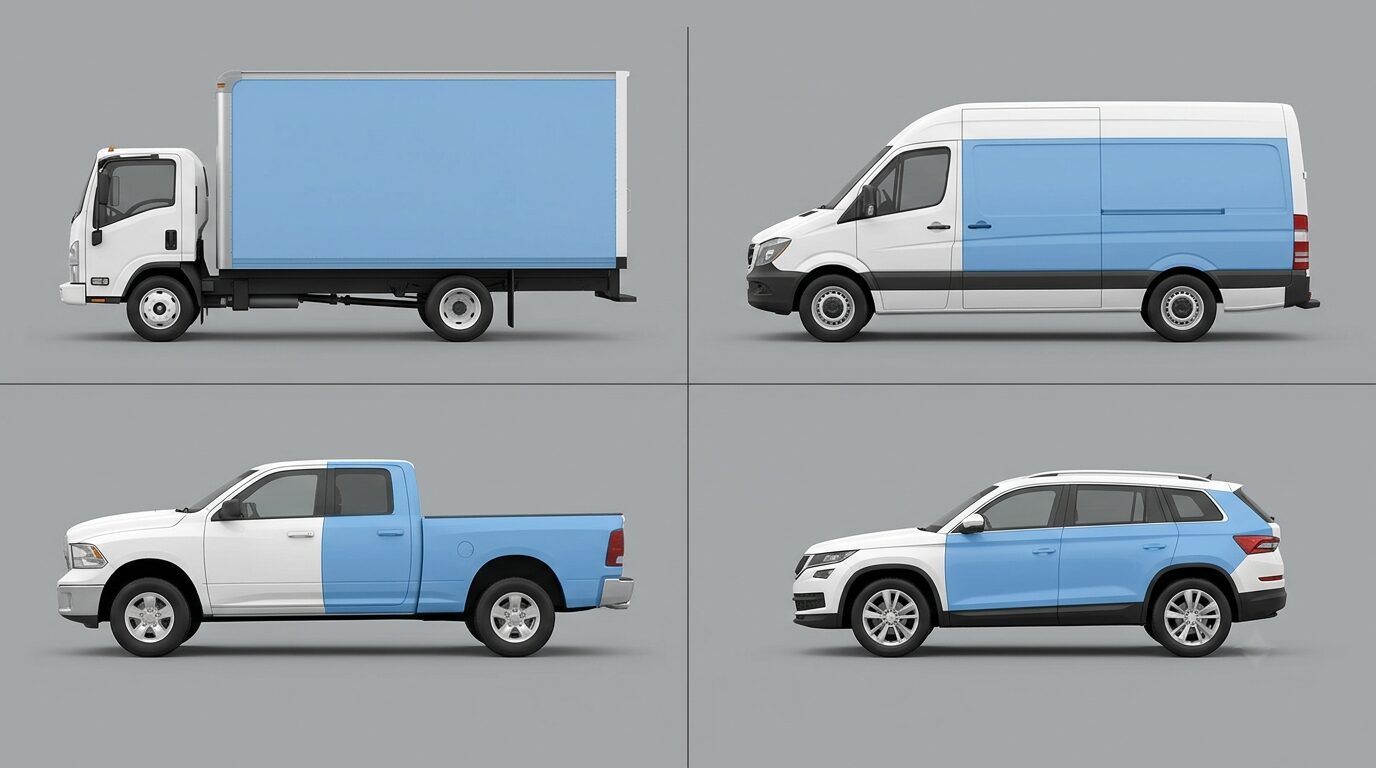
Design the Box Truck as Two Connected Parts
A box truck consists of a cab and a separate cargo body. Treating them as unrelated surfaces can make the vehicle look incomplete.
The cargo box usually carries the main advertising message. The cab can support it through:
- Matching base color
- Door logo
- Continuation of a graphic shape
- Website
- Vehicle number
- Supporting accent color
Do not assume that all box trucks with the same cargo length are identical. Cab type, box manufacturer, roll-up doors, side doors, liftgates, rivets, and trim can differ.
Photographs and measurements should be reviewed before production.
Build Van Graphics Around Door Operation
Cargo vans require particular attention to sliding and rear doors.
A logo placed across the sliding door and rear quarter panel may look complete while closed but disappear or become distorted when the door opens. This matters for service vehicles that spend hours with doors open at job sites.
Review the design in:
- Closed side-door position
- Open side-door position
- Closed rear-door position
- Open rear-door position
- Working configuration with racks and ladders
- Parked position at customer properties
Important information may need to be repeated or repositioned so part of the brand remains visible during normal operation.
Simplify Pickup Truck Graphics
A pickup truck should not carry a miniature version of a box-truck wrap.
The cab door is often the strongest branding surface. The bed can carry a graphic shape, service category, website, or phone number.
The tailgate provides valuable traffic visibility but may include:
- Handle
- Camera
- Model badge
- Step
- Equipment
- Frequently damaged areas
A simplified pickup layout can still match the larger fleet through color, typography, logo treatment, and background graphics.
Use Cars for Recognition, Not Complete Service Lists
Passenger cars and small SUVs offer limited space and are viewed at a lower height.
They are best suited to concise branding:
- Company name
- Main service
- Website
- Phone number
- Controlled graphic accent
Long service lists usually become too small. Large photographs can be broken apart by windows and body contours.
If a car belongs to the same fleet as trucks and vans, it may use a reduced form of the shared design—such as the same color band, logo treatment, and type style.
Treat Trailer Graphics as Distance Advertising
Trailer graphics should account for longer viewing distances and higher operating speeds.
A trailer can carry substantial information, but the design should remain direct:
- Large logo
- Business category
- Short supporting line
- Website
- Required operational markings
A long trailer side does not need to be filled edge to edge. Controlled negative space can make the logo and message appear larger.
The trailer should also be reviewed while connected to the intended tow vehicle or tractor. The two units should not compete visually.
Account for Regulatory and Operational Markings
Some commercial vehicles require identification or safety markings depending on their use, weight, jurisdiction, and operation.
For covered interstate commercial motor vehicles, FMCSA requires the motor carrier’s legal or single trade name and USDOT number to appear on both sides with sharply contrasting markings that are legible during daylight from 50 feet. Businesses must confirm all requirements applicable to their own vehicles and operation. FMCSA commercial motor vehicle marking guidance
The wrap design should reserve space for applicable:
- USDOT numbers
- MC information
- Legal business name
- Vehicle numbers
- License information
- Reflective tape
- Weight or capacity markings
- Emergency-exit labels
- Safety instructions
Required information should not be placed over photographs, patterns, seams, or equipment that reduces legibility.
Adjust for Light and Dark Vehicle Colors
Partial wraps and lettering leave portions of the original paint visible.
A design prepared for a white van may lose contrast on a black SUV. A dark logo may disappear on a blue pickup. A partial-wrap edge may look intentional on one color and unfinished on another.
Develop approved variants for:
- Light vehicles
- Dark vehicles
- Silver or gray vehicles
- Brand-colored vehicles
This may involve:
- Reversed logo
- Opaque background panel
- Different outline treatment
- Increased partial-wrap coverage
- Alternate accent color
- One-color vinyl variant
The variants should remain part of one controlled system rather than becoming separate designs.
Keep Contact Information Consistent
The same phone number or website should use consistent formatting across the fleet.
Avoid switching between:
- Phone number with and without area code
- Different web addresses
- Full www and shortened versions
- Different capitalization
- Several call-to-action phrases
- Different social handles
- Personal and company phone numbers
The physical position can change, but the visual treatment should remain familiar.
For example, the phone number may appear in a bottom bar on a truck, above the rocker panel on a van, on a pickup bed, and below the rear window of an SUV. Consistent type, color, and spacing connect those treatments.
Adapt the Rear Separately
Rear graphics should not simply be copied from the side.
Different vehicles create different rear-panel conditions:
| Vehicle | Rear Design Considerations |
| Cargo van | Split doors, windows, hinges, handles and camera |
| Box truck | Roll-up door, liftgate, reflective tape and hinges |
| Pickup truck | Tailgate handle, camera, badges and equipment |
| SUV or car | Rear glass, hatch seams, wiper, lights and curved panels |
| Trailer | Hinged doors, locks, reflective markings and door hardware |
The rear usually benefits from a shorter message:
- Company name
- Main service
- Website or phone number
- Required vehicle information
A person following the vehicle should not have to read the entire side-panel message in a smaller format.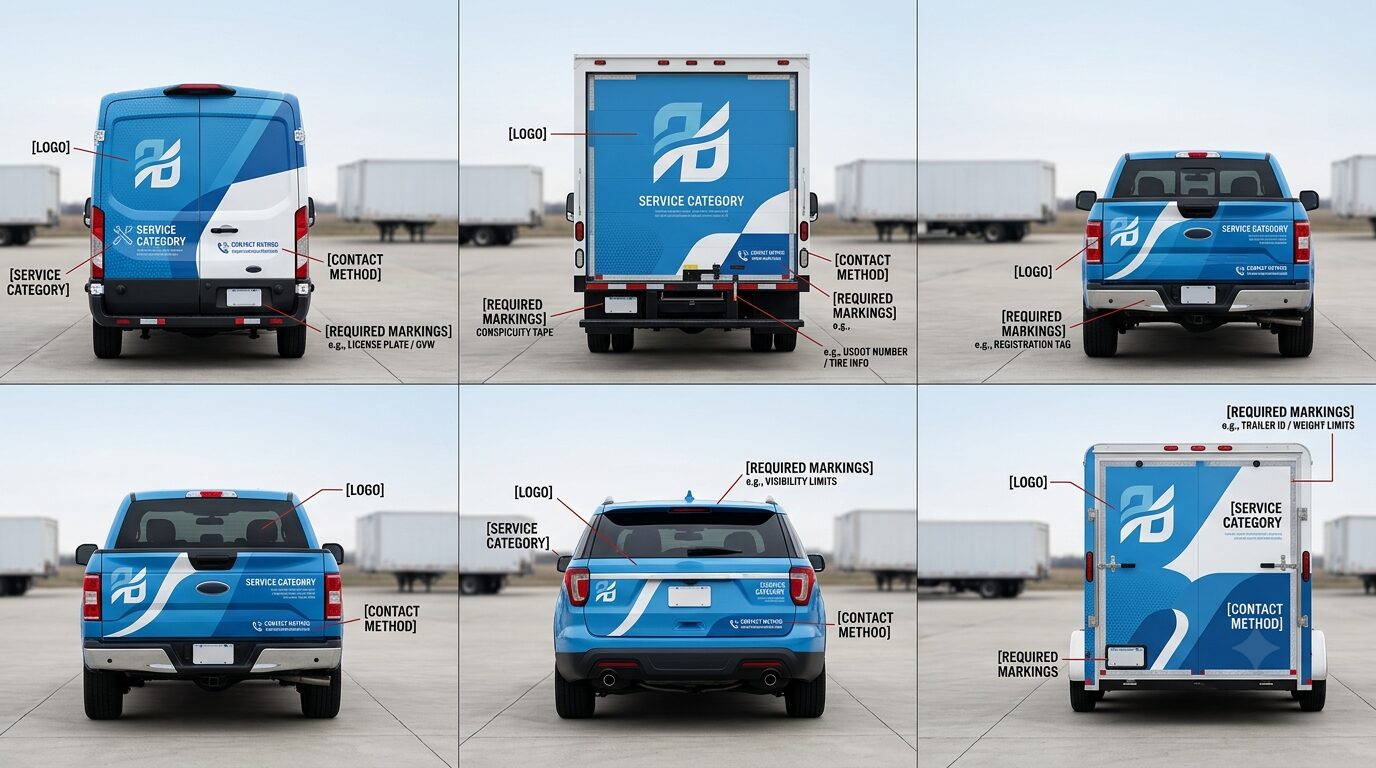
Prepare Separate Production Files
Once the designs are approved, each vehicle category needs its own production artwork.
A useful naming structure identifies:
- Customer
- Vehicle make and model
- Year range
- Wheelbase
- Roof height
- Body configuration
- Driver or passenger side
- Rear or front
- Artwork version
- Revision date
Do not label files only as “van final” or “truck approved.” Those names become difficult to manage as vehicles and revisions are added.
Each production package should also identify:
- Material
- Laminate
- Color targets
- Panel divisions
- Bleed
- Seams and overlaps
- Special installation instructions
- Unit-specific information
This reduces confusion when matching graphic kits with vehicles.
Review the Fleet Together Before Full Production
Individual layouts may look successful when reviewed separately but inconsistent when placed beside one another.
Create a fleet lineup showing every major vehicle family at a comparable scale. Review:
- Relative logo size
- Color balance
- Message hierarchy
- Photography
- Graphic shapes
- Contact treatment
- Rear designs
- Vehicle numbering
- Light and dark variations
3M’s fleet graphics guidance emphasizes brand standards, including designs, logos, colors, and other brand elements, as part of achieving quality and consistency. 3M Fleet Graphics Guide
The lineup allows the customer to approve the fleet as a connected system instead of approving isolated vehicles without comparison.
Test Representative Vehicles Before Repeating the Layout
If the fleet contains several identical vehicles, install one representative unit before producing or installing every matching kit.
Check:
- Template accuracy
- Logo scale
- Graphic alignment
- Door operation
- Image crop
- Text readability
- Equipment interference
- Rear-panel placement
- Color
- Installation details
Any correction should be added to the master file before the remaining units enter production.
Make Future Vehicles Part of the Same System
A fleet design should accommodate vehicles that have not yet been purchased.
Retain:
- Brand standards
- Approved logos
- Font files
- Color targets
- Master design elements
- Vehicle layouts
- Production records
- Material specifications
- Installation photographs
- Revision history
A future electric van, larger truck, or different trailer may require new artwork, but it can still follow the same identity.
The objective is not to predict every future vehicle. It is to preserve enough design logic that a new layout can be created without starting the brand again.
Adapt the Design Without Losing the Brand
One design can support an entire fleet when the brand elements remain controlled and the layout remains flexible.
Pixel Wraps creates vehicle-specific graphics for:
- Cargo vans
- High-roof vans
- Pickup trucks
- Utility vehicles
- Box trucks
- Trailers
- Buses
- Passenger cars
- SUVs
- Specialty vehicles
Our in-house team manages design, printing, lamination, and installation. We review the actual vehicle configuration, adapt the message to the available surface, and maintain the same recognizable identity across different body types.
Pixel Wraps works with commercial fleets throughout New York City, New Jersey, Pennsylvania, and the tri-state area. Send us your vehicle list, photographs, brand files, and preferred coverage. We will build a fleet graphics system that fits every vehicle without forcing every vehicle into the same layout.