A professional vehicle wrap depends on more than good artwork and premium vinyl.
The way the graphics are printed can affect their color, panel consistency, conformability, lamination, installation, and long-term performance. Two wrap providers can use the same brand of vinyl and still produce noticeably different results because their printers, inks, profiles, production controls, and finishing procedures differ.
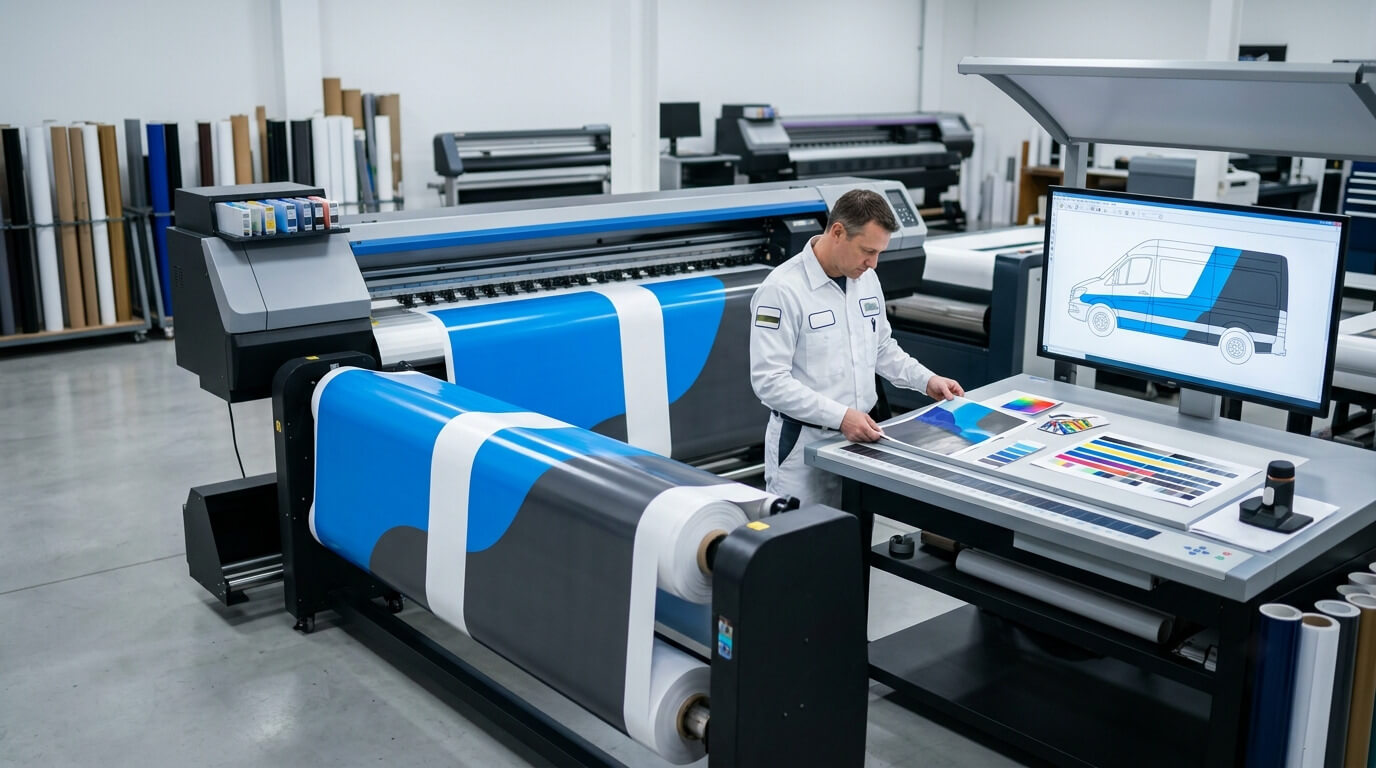
At Pixel Wraps, we treat printing as part of the complete vehicle-wrap system. Our in-house process connects design, color management, printing, lamination, panel finishing, and installation.
This guide explains what commercial fleet owners should know about vehicle-wrap printing quality and why it matters beyond the first impression.
Vehicle-Wrap Printing Is a Complete System
A digital vehicle-wrap print is created through the interaction of several components:
- Artwork file
- Color mode
- Raster image quality
- RIP software
- Media profile
- Printer
- Printheads
- Ink
- Printable vinyl
- Heat and curing settings
- Environmental conditions
- Overlaminate
- Production operator
A problem with any one of these components can affect the finished graphics.
For example, a high-resolution design can still print poorly if the wrong media profile is used. Premium vinyl can still become difficult to install if excessive ink is applied or the print is laminated before it has processed correctly.
Print quality is therefore not only about sharpness. It also includes color accuracy, ink control, physical stability, panel consistency, and compatibility with the remaining production stages.
Artwork Resolution Affects Sharpness
Vehicle wraps are viewed from different distances.
A large background photograph may look acceptable from across a parking lot even when it would not meet the resolution standard required for a small brochure. However, logos, phone numbers, QR codes, service lists, and fine design details require cleaner source artwork.
Vector Artwork
Vector graphics are preferred for:
- Logos
- Lettering
- Icons
- Line art
- Brand shapes
- Simple illustrations
Vector files can be enlarged without becoming pixelated because their shapes are mathematically defined.
Common professional vector formats include AI, EPS, and certain PDF or SVG files. A file extension alone does not guarantee that the artwork is truly vector; a low-resolution image can be placed inside a vector file.
Raster Artwork
Raster images include photographs and pixel-based graphics.
Their suitability depends on:
- Original pixel dimensions
- Final printed size
- Viewing distance
- Image detail
- Compression
- Editing history
A small image downloaded from a website cannot be enlarged across the side of a cargo van without losing detail.
Artificially increasing the resolution does not recreate all the original information. AI upscaling may improve selected images, but the output should be inspected carefully for false details, altered products, distorted faces, or incorrect branding.
Why Printed Proofs Matter
A design can look sharp on a small monitor while revealing problems at full vehicle scale.
For image-heavy projects, Pixel Wraps may inspect critical areas at production size or print a representative sample before running the complete wrap.
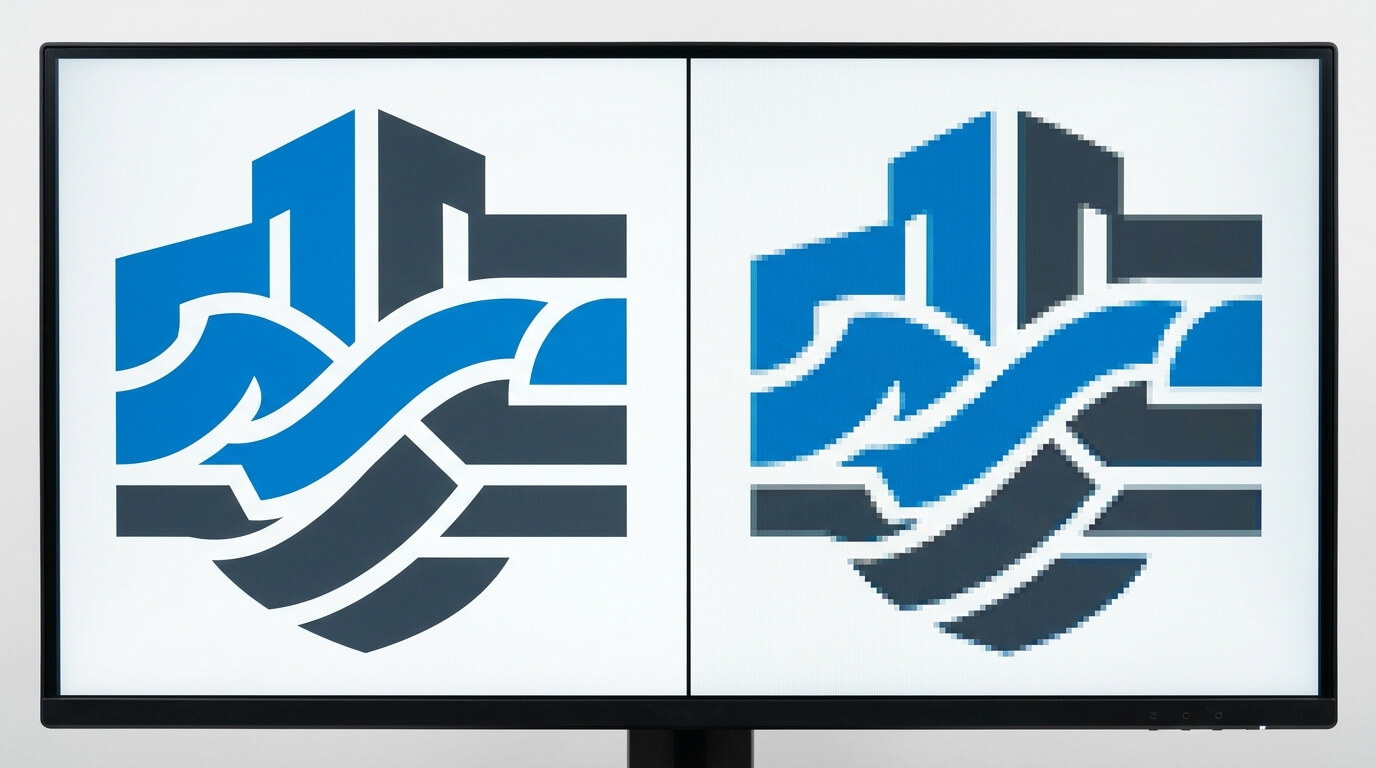
Color on a Screen Is Not the Same as Printed Color
Computer monitors create color with emitted light. Printed graphics are viewed through reflected light.
That difference means a bright screen color may not reproduce exactly with vehicle-wrap ink on vinyl.
Color appearance can also change according to:
- Monitor calibration
- Screen brightness
- RGB-to-CMYK conversion
- Ink set
- Media white point
- Print profile
- Total ink limit
- Laminate finish
- Viewing light
- Surrounding vehicle color
A color viewed on an uncalibrated phone or office monitor should not be treated as a reliable physical print standard.
RGB and CMYK
Digital artwork frequently begins in RGB because screens use red, green, and blue light.
Large-format printers typically reproduce colors through a multi-ink process based around cyan, magenta, yellow, and black, often with additional ink colors depending on the equipment.
Some bright RGB colors fall outside the printable range of a particular printer, ink, and media combination. The production workflow must convert or interpret those colors within the available print gamut.
Spot Colors
Corporate brands may specify Pantone or other spot-color references.
A digital printer usually simulates those colors through its available ink set rather than printing a premixed spot ink. A physical target helps the production team work toward a reasonable match, but exact reproduction may be affected by the material, finish, printer gamut, and lighting.
Pixel Wraps asks customers to provide official brand guidelines and physical color references when color consistency is critical.
The Media Profile Controls More Than Color
An ICC or media profile helps the printer and RIP software interpret color for a particular combination of:
- Printer
- Ink
- Printable media
- Resolution
- Pass mode
- Curing or heating settings
A profile can influence:
- Color output
- Gray balance
- Ink limits
- Gradient smoothness
- Neutral tones
- Drying or curing behavior
- Print speed
Using a generic profile may produce an image, but it may not produce the best or most stable result for the selected wrap film.
ORAFOL states that it tests and profiles digital print materials with common printer, color, and ink systems. It also recommends using the appropriate manufacturer and printer guidance because of the wide variety of production combinations.
See ORAFOL Printing Recommendations and the ORAFOL Digital Printing Materials Guidelines.
Profiles provide a starting point. Production equipment must still be maintained and calibrated.
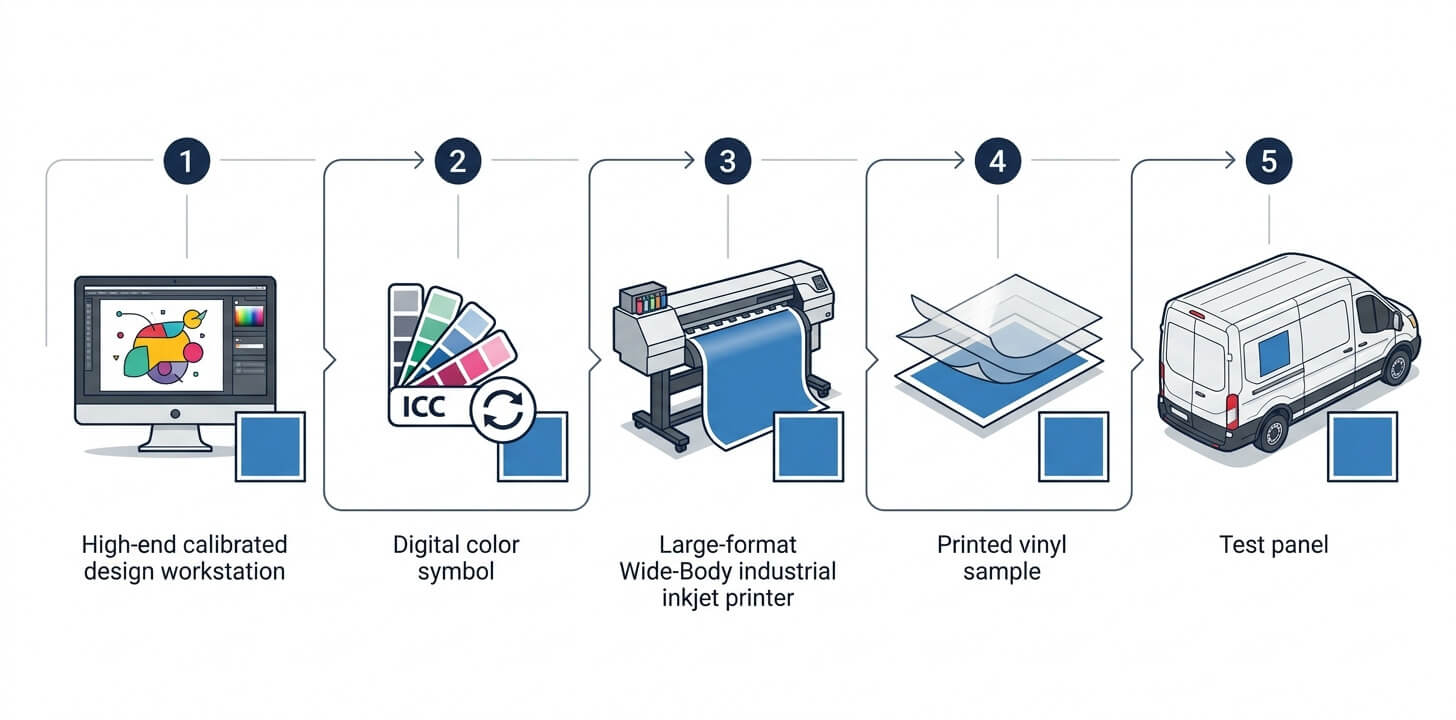
Excessive Ink Can Affect Wrap Performance
More ink does not automatically create better color.
Each printable film and ink system has recommended total ink limits. Exceeding those limits can physically change the media or prevent the print from processing correctly.
3M’s January 2026 IJ280 product bulletin warns that excessive total ink can contribute to:
- Changes in media characteristics
- Incomplete drying
- Overlaminate lifting
- Poor graphic performance
The bulletin provides different maximum total ink-coverage figures for approved solvent, UV, and latex ink systems. Those figures apply to that specific product and should not be copied to unrelated films.
See the 3M IJ280 Product Bulletin.
Dense blacks, deep shadows, and heavily saturated colors must be built within the limits of the selected media and ink system.
A visually rich black can often be produced without flooding the vinyl with unnecessary ink. Correct profiling and production experience matter more than simply increasing ink density.
Drying and Curing Affect Durability
Printed film must be processed according to the ink technology and manufacturer’s instructions before lamination and installation.
Solvent and Eco-Solvent Ink
These inks can require sufficient time and airflow for retained solvents to leave the printed film before lamination.
If the film is sealed too early, trapped solvent may affect:
- Adhesive behavior
- Shrinkage
- Curling
- Conformability
- Laminate bond
- Edge performance
Latex Ink
Latex printing uses heat to dry and cure the printed image during production. The output must still be checked to confirm that the selected profile, temperature, and ink load produced a properly cured print.
UV-Curable Ink
UV ink is cured through ultraviolet energy. Depending on the printer and ink construction, the cured ink layer can affect flexibility and surface behavior.
A film that will be stretched around a complex vehicle surface requires an ink system and print mode suitable for that degree of conforming.
Follow the Product-Specific Instructions
There is no universal “wait exactly this many hours” rule for every film, printer, and ink system.
For example, ORAFOL’s current technical data for ORAJET 3951RA+ ProSlide recommends using appropriate ORAFOL ICC profiles and allowing solvent-based inks to dry for at least the stated product-specific period before further processing.
See the ORAJET 3951RA+ ProSlide Technical Data Sheet.
At Pixel Wraps, we schedule printing, processing, lamination, and installation as separate controlled stages.
Printhead Condition Affects the Entire Wrap
A large-format printer can continue producing output even when one or more printhead nozzles are not firing correctly.
Visible symptoms may include:
- Horizontal banding
- Missing color
- Grainy gradients
- Uneven solid fills
- Color shifts
- Fine lines
- Inconsistent density
A minor defect repeated across a small sample can become highly visible when panels cover an entire van or truck.
Professional production includes:
- Nozzle checks
- Printer calibration
- Printhead cleaning
- Bidirectional alignment
- Media-feed calibration
- Environmental monitoring
- Test prints
- Ongoing visual inspection
Printer maintenance is not visible in the final quote, but it can be visible on the finished vehicle.
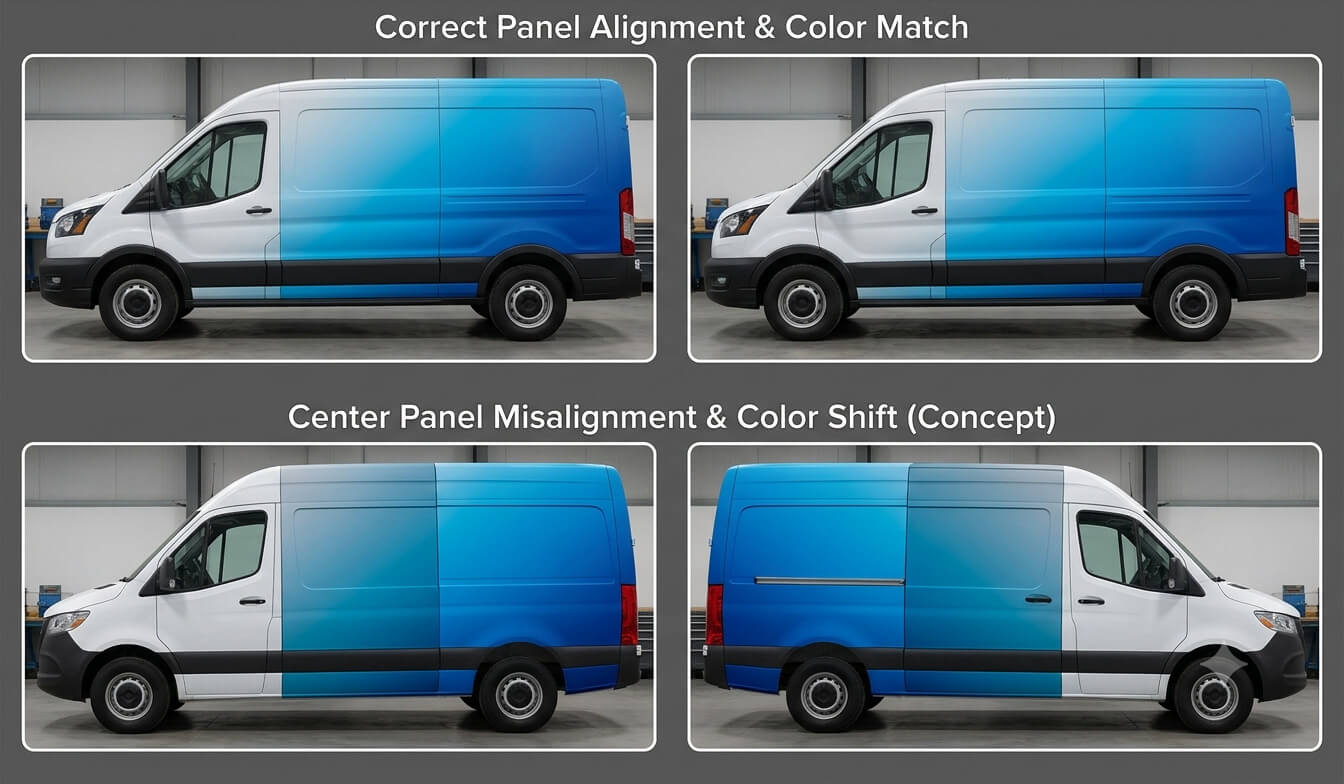
Panel-to-Panel Consistency Is Critical
A full vehicle wrap is printed in multiple panels. Those panels must appear as one continuous design after installation.
Possible consistency problems include:
- One panel printing darker than another
- Color changing during a long production run
- Incorrect panel overlap
- Scale differences
- Reprints made with different settings
- Graphics produced on different material batches
- Rotation changing the appearance of a directional or metallic print
- Inconsistent laminate finish
At Pixel Wraps, we plan panels before printing and keep related graphics within a controlled production workflow.
When practical, connected panels are printed in the same run, orientation, media lot, and production setup. This reduces avoidable variation.
Laminate Changes the Final Printed Appearance
The unlaminated print is not the finished color reference.
Gloss, matte, satin, and other laminate finishes can change perceived:
- Saturation
- Contrast
- Black density
- Reflection
- Texture
- Brightness
- Visibility under direct light
A gloss laminate may make colors appear deeper, while matte laminate may soften reflections and perceived contrast.
For color-sensitive fleet projects, approval should be based on the printed and laminated construction whenever possible.
The laminate must also be compatible with the print film. A mismatched construction can affect conformability, shrinkage, and warranty eligibility.
Lighting Changes How Wrap Colors Look
The same wrapped vehicle can look different:
- Inside a production facility
- In direct midday sun
- On an overcast day
- Under warm parking-lot lights
- Under cool LED lighting
- In shade
- Beside strongly colored surroundings
This effect is not automatically a print defect.
Some colors are more sensitive to changes in the light source. Neutral grays, deep blues, reds, and brand colors built from several inks may appear to shift under different conditions.
We inspect prints under controlled lighting, but businesses should also understand that vehicles operate in uncontrolled environments.
A physical color approval should identify the lighting under which the sample was evaluated.
Printing Can Affect Conformability
A wrap print is not merely an image sitting on top of inert plastic. Ink becomes part of the material construction.
Heavy ink coverage can affect how the film feels and stretches. Some inks and print modes are more suitable for demanding conformability than others.
When graphics stretch around a curve, the printed color may also become lighter because the ink layer and white film are being extended over a larger area.
We account for this during:
- Material selection
- Design placement
- Ink-limit planning
- Panel layout
- Installation
Important logos, fine text, and color-critical areas should not be placed where severe stretching is expected.
Poor Printing Can Reduce Effective Wrap Life
A wrap may use a professional long-term film but still underperform when production is poorly controlled.
Possible causes include:
- Incorrect profile
- Excessive ink
- Incomplete drying or curing
- Contaminated print
- Incompatible laminate
- Poor laminate bond
- Unstable color
- Printhead banding
- Improper storage
- Delayed finishing
- Incorrect ink and film combination
3M’s wrap-film documentation states that incomplete drying or curing can result in failures such as curling, increased shrinkage, and adhesion problems.
The film’s published durability cannot compensate for a defective production process.
What a Vehicle-Wrap Proof Can and Cannot Show
A digital proof is useful for reviewing:
- Layout
- Copy
- Phone numbers
- Website addresses
- Logo placement
- Approximate color relationships
- Graphic coverage
A digital proof cannot reliably show:
- Exact printed color on the selected vinyl
- Laminate reflection
- Material texture
- Full-scale image sharpness
- Color under every lighting condition
- Final panel overlap
- Stretch-related color change
For strict brand-color requirements, a printed and laminated production sample is more useful than a screen-only approval.
The sample should be produced using the intended film, ink, profile, printer, and laminate.
Why Reprints May Not Match an Older Wrap Exactly
A replacement door panel printed today may not look identical to a wrap installed several years ago.
Variation can result from:
- UV exposure and aging of the original graphic
- Different material lot
- Printer calibration
- Ink-lot changes
- Profile changes
- Printer replacement
- Laminate aging
- Surface contamination
- Different viewing conditions
Even when the original production file and settings are available, the older wrap has changed through use and exposure.
For collision repairs, we may recommend replacing a larger logical section rather than one small panel when a visible color difference would affect the finished appearance.
A separate article in this series will examine fleet color consistency and reprints in greater detail.
Questions to Ask a Vehicle-Wrap Provider
Fleet owners do not need to operate the printer, but they should ask how production quality is managed.
| Question | Why it matters |
| Is the wrap printed in-house? | Direct production control can simplify color management, scheduling, and reprints |
| Which film, ink, and printer are being used? | Compatibility affects color and physical performance |
| Is a media-specific profile used? | Profiles control color, ink limits, and production settings |
| How are prints inspected? | Banding and color problems should be caught before lamination |
| Will connected panels be printed together? | This can reduce panel-to-panel variation |
| How is the print processed before lamination? | Incorrect drying or curing can affect the wrap |
| Can a physical color sample be produced? | A laminated sample is more reliable than a monitor for critical colors |
| Are production settings recorded? | Records support future fleet additions and repairs |
| How are replacement panels handled? | Older graphics may no longer match a new print exactly |
How Pixel Wraps Controls Printing Quality
Our in-house workflow helps us manage the relationship between the artwork, printer, vinyl, laminate, and vehicle.
The process includes:
- Reviewing artwork quality
- Confirming vehicle dimensions and panel layout
- Checking brand-color requirements
- Selecting the printable film and laminate
- Using an appropriate media profile
- Inspecting printer condition
- Producing test output when necessary
- Monitoring the print run
- Processing the printed film correctly
- Laminating under controlled conditions
- Inspecting finished panels
- Organizing panels for installation
- Retaining useful project information for reprints
This does not mean every future print will be visually identical to an aged vehicle graphic. It does give us a documented starting point for maintaining fleet consistency.
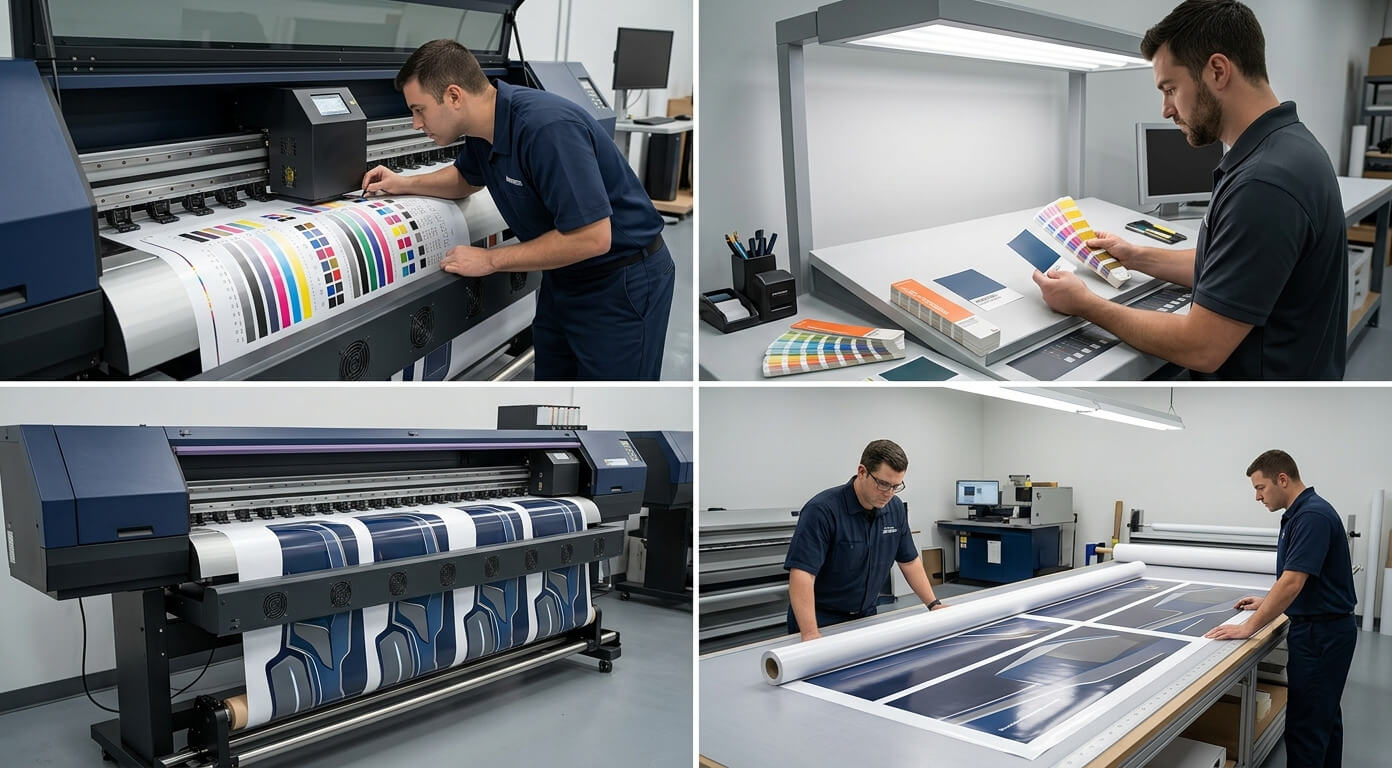
Good Printing Protects the Value of the Wrap
Printing quality affects more than how the graphics look on installation day.
A controlled print process supports:
- Clear logos and messaging
- More consistent brand colors
- Smoother gradients
- Better panel matching
- Proper lamination
- Suitable conformability
- More reliable long-term performance
- Better records for fleet additions and repairs
Premium vinyl is important, but it cannot correct low-resolution artwork, excessive ink, incomplete curing, or inconsistent production.
At Pixel Wraps, the print is developed as part of the complete commercial wrap system. That allows our design, production, lamination, and installation teams to work from the same material and quality requirements.
Discuss Your Fleet’s Print Requirements With Pixel Wraps
If your company has strict colors, an expanding fleet, detailed photographic artwork, or existing vehicles that must be matched, share those requirements before production.
Pixel Wraps can review:
- Brand guidelines
- Original artwork
- Physical color references
- Existing fleet graphics
- Vehicle types
- Replacement requirements
- Expected service period
Contact our team to discuss a commercial vehicle-wrap project built around consistent production and professional installation.