A replacement wrap panel may be produced from the original artwork and still look different from the graphics already installed on the vehicle.
This does not always mean the new panel was printed incorrectly.
The existing wrap may have changed through sunlight, weather, washing, and normal aging. The new print may also be produced with a different material lot, ink lot, printer calibration, profile, laminate, or production environment.
For a single vehicle, a small difference may be manageable. Across a large fleet, uncontrolled variation can weaken brand consistency and make repaired vehicles look patched together.
At Pixel Wraps, we document useful production information, control reprints, and evaluate the existing vehicle before recommending a replacement strategy.
This guide explains why fleet-wrap colors can vary and what businesses can do to reduce visible differences.
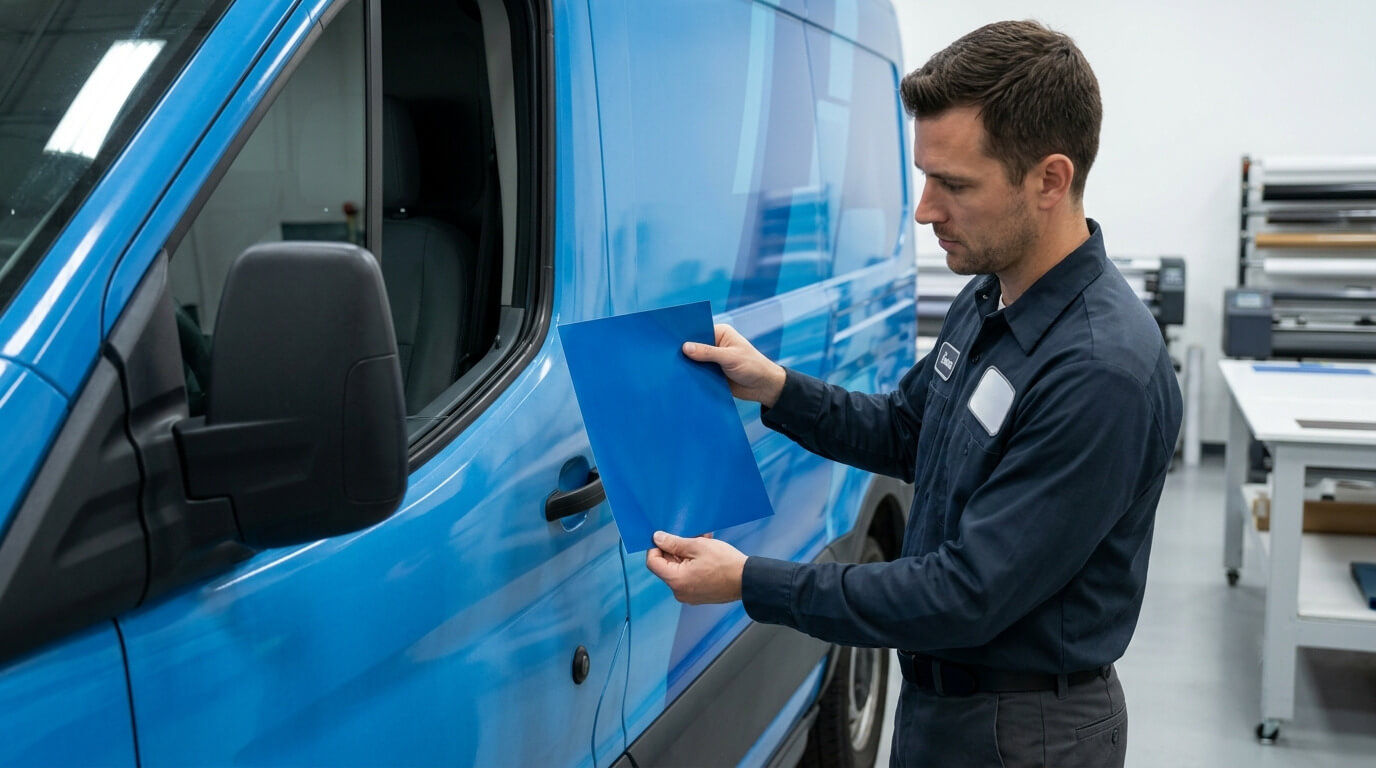
A Reprint Is Being Compared With an Aged Graphic
The original wrap began changing after the vehicle entered service.
Its appearance may have been affected by:
- Ultraviolet exposure
- Heat
- Rain
- Snow and road salt
- Washing
- Cleaning chemicals
- Air pollution
- Fuel residue
- Tree sap
- Panel orientation
- Indoor or outdoor parking
- Physical abrasion
A newly printed panel has not experienced those conditions.
Even when the new panel accurately reproduces the original approved color, it may look darker, cleaner, glossier, or more saturated beside the existing wrap.
This is one reason a new panel should not be judged only against an old photograph or the original digital proof. The actual vehicle must be inspected.
Sun Exposure Does Not Affect Every Panel Equally
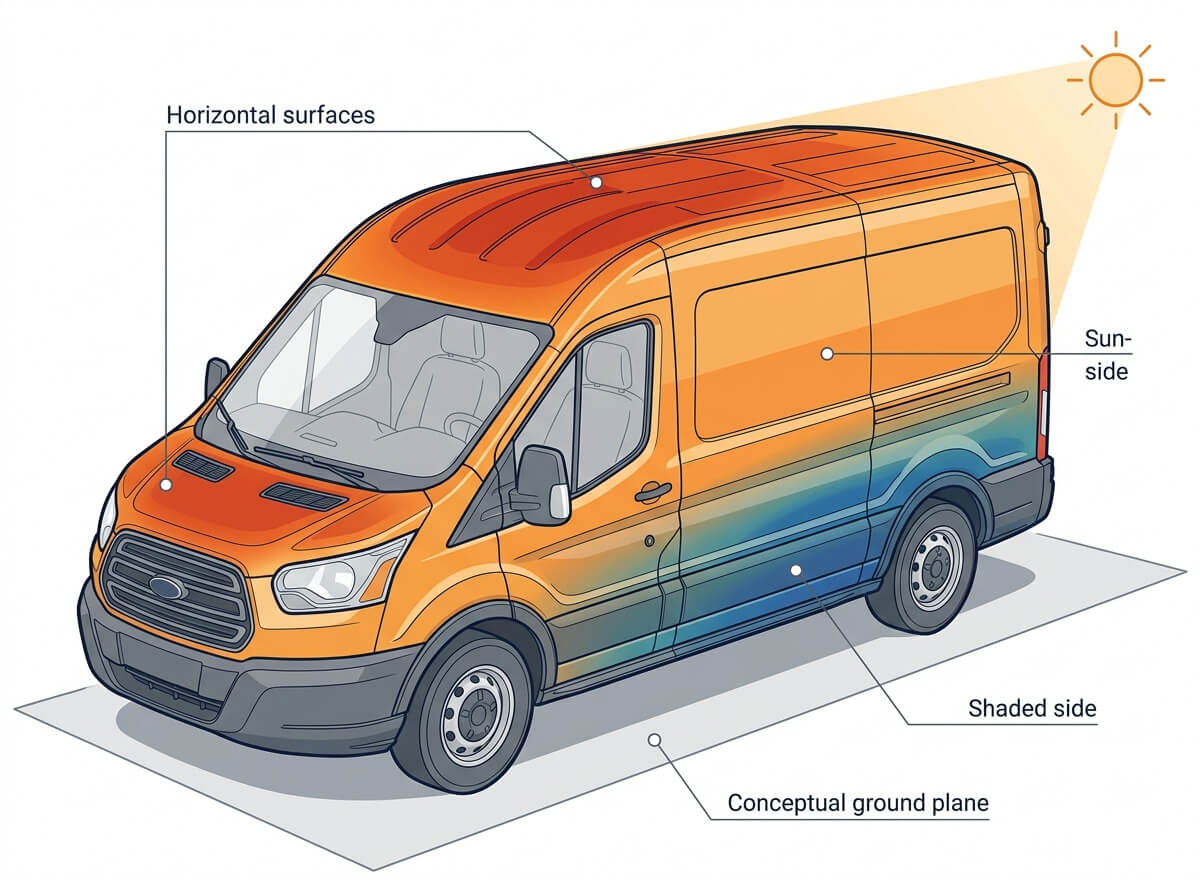
Vehicle graphics age according to their orientation and environment.
A hood or roof receives more direct sunlight than most vertical doors. One side of a vehicle may also face the sun during daily parking while the opposite side remains shaded.
Different areas can therefore age at different rates.
Possible variations include:
- Roof graphics becoming lighter before door graphics
- The curbside remaining darker than the street-facing side
- A rear door aging differently from the side panels
- Graphics under an awning remaining closer to the original color
- A replacement vehicle stored indoors looking different from outdoor fleet units
A fleet owner may think all vehicles were produced with different colors when the variation actually developed through exposure.
When evaluating a reprint, Pixel Wraps considers where the new panel will be installed and how the surrounding graphics have aged.
Material Lots Can Have Small Differences
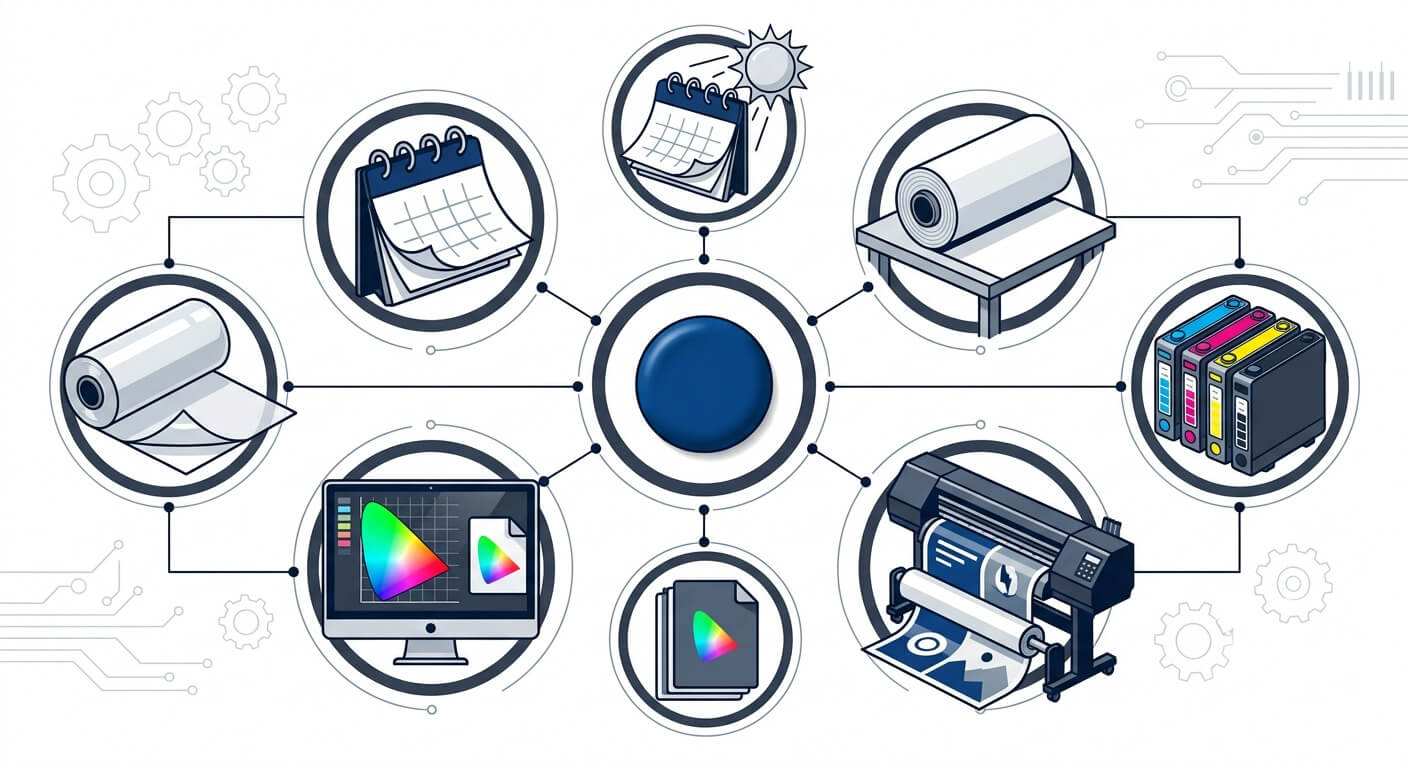
Professional wrap-film manufacturers control their products carefully, but slight variation can still occur between production lots.
The printable vinyl’s white point, surface, adhesive color, or other characteristics can influence the printed result.
Avery Dennison’s current MPI 1903 product data sheet advises using material from one production lot on a vehicle when color consistency is important. It notes that slight color shifts may occur between rolls or lots and recommends avoiding mixed lots on the same vehicle.
See the Avery Dennison MPI 1903 Product Data Sheet.
The principle extends beyond one product. For a large fleet project, recording material lot information can help with:
- Initial panel consistency
- Warranty documentation
- Replacement planning
- Diagnosing unexpected variation
It may not be possible to purchase the original lot years later. The record still helps explain what changed and provides a more complete starting point.
Ink Lots and Printer Condition Can Affect Color
Large-format printers produce color through several ink channels. A change in one channel can affect the complete print.
Potential causes include:
- Ink-lot variation
- Aging ink
- Incorrect ink storage
- Printhead replacement
- Missing printhead nozzles
- Changed printhead alignment
- Different printer model
- Maintenance condition
- Media-feed calibration
- Environmental temperature or humidity
A printer can remain operational while producing a subtle color shift.
This is why professional production includes:
- Nozzle checks
- Calibration
- Maintenance
- Test prints
- Profile verification
- Visual inspection
- Measurement when appropriate
The original artwork file cannot compensate for a printer that is no longer reproducing the same calibrated output.
Profiles and RIP Settings May Have Changed
The RIP software converts artwork into instructions for the printer.
The production setup can include:
- Media profile
- Resolution
- Number of print passes
- Ink limits
- Color-conversion settings
- Rendering intent
- Heating or curing settings
- Print direction
- Color-replacement values
Changing one or more of these settings can alter the result.
A fleet graphic produced with a new generic profile may not match graphics printed with a custom or manufacturer-supported profile.
ORAFOL provides ICC profiles and printing recommendations for combinations of its media, printers, and inks. The company also advises users to test suitability because of the number of available production systems.
See ORAFOL Printing Recommendations and the ORAFOL Digital Printing Materials Catalog.
At Pixel Wraps, we retain useful production settings for fleet projects when practical. Those records make future matching more controlled, although they cannot reverse the aging of the original graphics.
The Laminate Changes Color Appearance
A reprint may use the correct printable film and ink but still look different if the laminate changed.
Gloss, matte, satin, and luster surfaces affect perceived:
- Saturation
- Contrast
- Black density
- Reflection
- Texture
- Brightness
Even two gloss laminates may not have identical optical properties.
The existing laminate also changes through service. Fine abrasion, washing, contaminants, and UV exposure can reduce gloss or alter the surface.
A new high-gloss panel placed next to an older, weathered gloss wrap may appear darker simply because it reflects light differently.
For repairs, we try to identify the original laminate product and finish. If it is unavailable, discontinued, or visibly aged, replacing a larger section may produce a more professional result.
Color Changes With the Lighting
A color comparison should be made under suitable lighting.
The same vehicle may look different:
- In direct sunlight
- On an overcast day
- Under cool LED lighting
- Under warm warehouse lighting
- In shade
- At sunrise or sunset
- Beside a brightly colored building
Two color samples can appear close under one light source and different under another. This effect is commonly associated with metamerism.
Neutral grays and colors built from several ink channels can be especially sensitive to lighting changes.
Pixel Wraps evaluates color under controlled conditions, but vehicles spend most of their time in uncontrolled environments. No production method can make a color appear identical under every type of light.
A Screen Proof Cannot Serve as the Final Color Standard
Digital proofs are useful for checking:
- Layout
- Copy
- Vehicle placement
- Logo size
- Graphic coverage
- Approximate color relationships
They are not reliable physical color references.
Screen appearance depends on:
- Monitor type
- Calibration
- Brightness
- Viewing angle
- Display color gamut
- Room lighting
A customer viewing the same proof on a laptop, office monitor, and phone may see three different versions.
For color-critical fleet branding, the better reference is a physical printed and laminated sample produced with the intended system.
A Pantone Number Does Not Guarantee an Exact Digital Print
Pantone and other physical color standards provide useful targets, but most digitally printed vehicle graphics simulate those colors through the printer’s available ink set.
The printable result depends on:
- Printer color gamut
- Ink configuration
- Media
- Profile
- Laminate
- Lighting
- Production tolerance
Some brand colors fall outside the range a particular printer can reproduce exactly.
The goal may be a close visual or measured match within an agreed tolerance—not a promise that every specified color can be recreated without difference.
Businesses should provide:
- Current brand guidelines
- Official color references
- Approved physical samples
- Information about any existing fleet standard
Hex values intended for websites should not be the only reference for a physical vehicle-wrap print.
Stretching Can Change Printed Color
Vinyl may be stretched during installation around curves, channels, handles, and body transitions.
As the printed film stretches, the ink and white base film are spread across a larger area. This can make the color look lighter in highly stretched zones.
The effect may be more noticeable in:
- Dark solid colors
- Deep channels
- Compound curves
- Tight bumper areas
- Heavily contoured body panels
A replacement panel may be printed correctly but look different if it is installed with more or less stretch than the original panel.
Professional panel planning reduces unnecessary stretch. Important solid colors, logos, and fine details should be kept away from areas where severe conforming is expected whenever the design allows.
Different Vehicle Models Change the Appearance
Fleet graphics are often adapted across:
- Cargo vans
- Compact vans
- Pickups
- Box trucks
- Trailers
- Passenger vehicles
The same color can look different because of:
- Panel size
- Surface angle
- Vehicle paint
- Reflections
- Body contours
- Graphic scaling
- Surrounding colors
A large blue area on a flat box truck may appear more uniform than the same blue wrapped around a curved van.
Fleet consistency does not always mean making every vehicle physically identical. It means using controlled colors, design rules, logo treatment, and production standards appropriate to each vehicle.
Why a Replacement Door Can Look Like a Patch
A replacement door panel creates one of the most difficult color-matching situations.
It places a new print directly beside an aged print with a hard body seam between them. The viewer can compare both surfaces at the same time and under the same light.
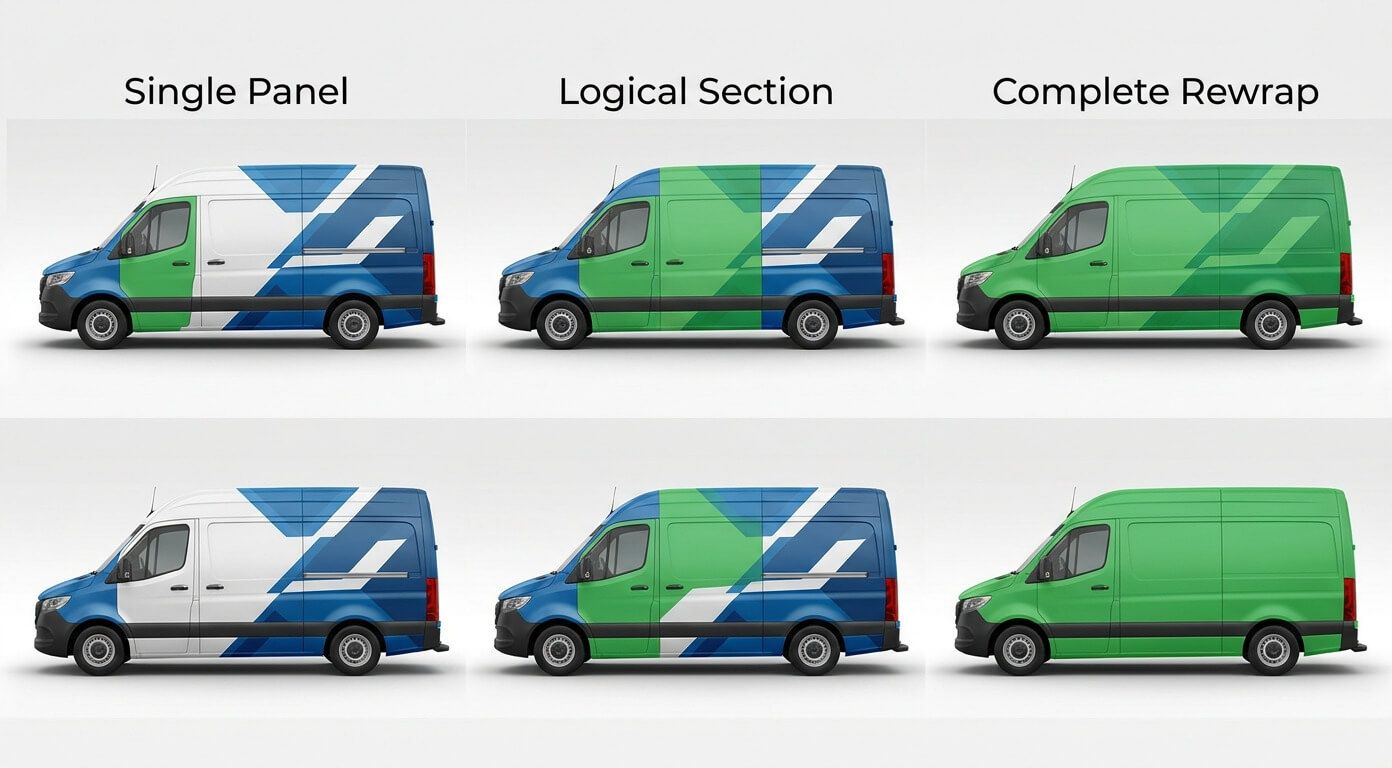
Possible approaches include:
Replace Only the Damaged Panel
This is the lowest-coverage option but may leave a visible color difference.
It works best when:
- The original graphics are relatively new
- Production records are available
- The surrounding wrap has limited fading
- The color difference is acceptable
- A natural design break hides the transition
Replace a Larger Logical Section
Replacing both doors, one full vehicle side, or a complete design section can move the color transition to a less visible area.
This may provide a cleaner result when the existing graphics have aged noticeably.
Rewrap the Complete Vehicle
A full rewrap may be appropriate when:
- Multiple areas are damaged
- The wrap is near its planned replacement date
- The original material is discontinued
- Brand colors or artwork have changed
- Panel repairs would become more expensive or visually inconsistent
The most economical material option is not always the best visual solution.
How Fleet Managers Can Improve Future Color Consistency
Perfect color identity across different years and exposure conditions is not realistic, but variation can be managed.
Establish a Physical Color Standard
Approve a printed and laminated sample produced on the intended wrap system.
Store the reference:
- Indoors
- Away from sunlight
- In a stable, clean environment
- With the production date
- With film and laminate information
The stored sample represents the original approved output more reliably than an aged vehicle.
Keep the Original Artwork and Production Files
The archive should include:
- Final vector artwork
- Linked high-resolution images
- Approved color values
- Vehicle templates
- Panel layouts
- RIP or profile information when available
- Production date
- Film and laminate product codes
A flattened low-resolution PDF is not a complete fleet-production archive.
Record Material Lots
Avery Dennison’s vehicle-wrap guidelines require documentation of application dates, material lot numbers, and application conditions for qualifying warranty claims.
See the Avery Dennison Vehicle Wrap Guidelines.
Lot records can also help evaluate color variation and organize large production runs.
Print Connected Panels Together
Whenever possible, panels that meet on one vehicle should be printed:
- In the same production run
- On the same printer
- With the same profile
- In the same orientation
- On the same media lot
- With the same laminate
This reduces avoidable panel-to-panel variation.
Add New Fleet Vehicles in Planned Batches
Producing several new vehicles together can improve consistency within that group.
If new vehicles will be added each year, establish acceptable tolerances and plan for the possibility that older units will appear different from newly wrapped ones.
Inspect Before Reprinting
Do not order a replacement panel based only on the original file.
The provider should inspect:
- Current color
- Laminate finish
- Degree of fading
- Damage location
- Adjacent panels
- Vehicle paint
- Existing material
- Most suitable design break
How Pixel Wraps Handles Fleet Reprints
Our approach begins with the existing vehicle, not only the archived artwork.
We may:
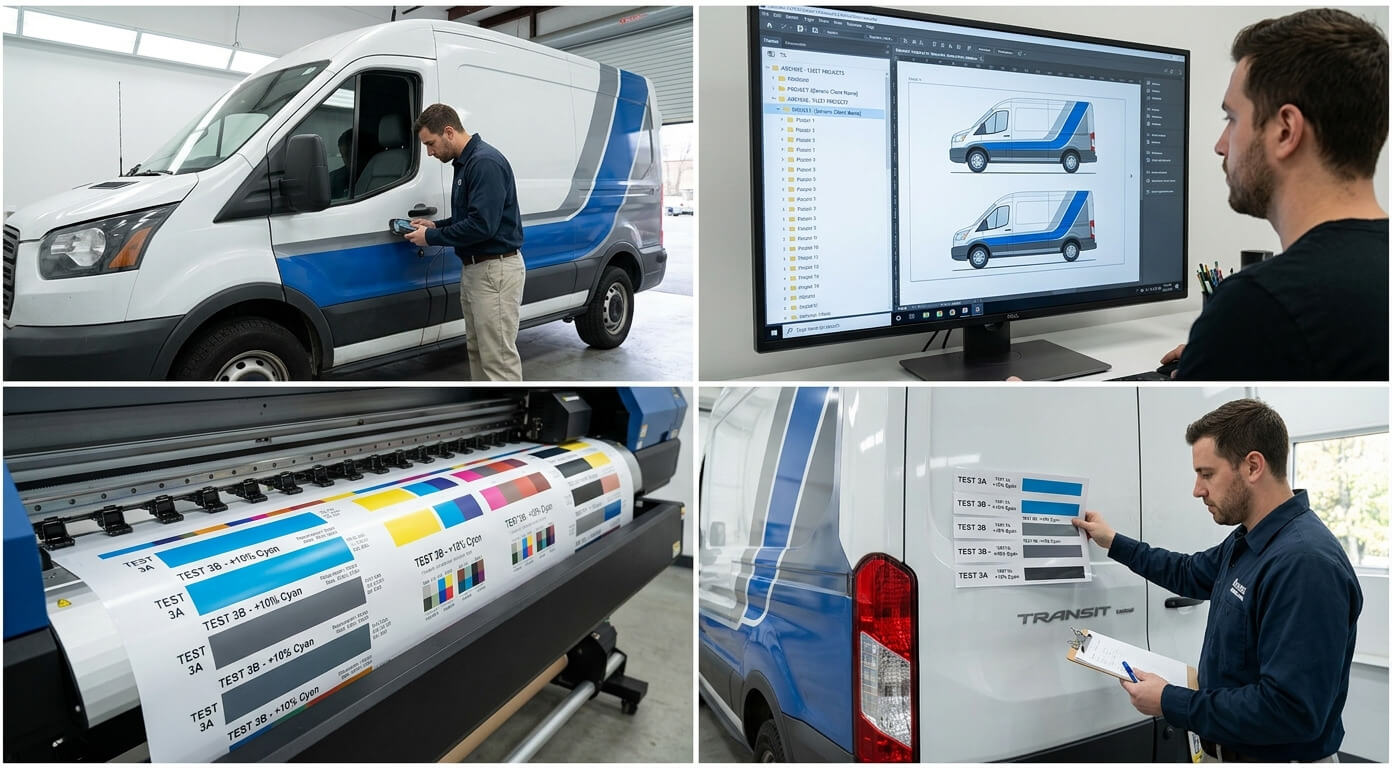
- Review the original project records.
- Confirm the film and laminate previously used.
- Inspect the vehicle under suitable lighting.
- Evaluate aging on the surrounding panels.
- Compare against an approved retained sample when available.
- Calibrate and test the current production setup.
- Produce a printed and laminated match sample.
- Recommend a single panel, larger section, or complete rewrap.
- Document the replacement for future fleet work.
The objective is to make the best practical match while being honest about what can and cannot be reproduced.
Plan Fleet Color Before the First Vehicle Is Wrapped
The best time to plan a reprint is during the original fleet project.
A controlled fleet program should identify:
- Approved physical color
- Printable film
- Laminate
- Printer and profile
- Artwork archive
- Production records
- Lot information
- Replacement strategy
- Acceptable matching tolerance
- Planned wrap-refresh cycle
Color variation cannot be completely eliminated because vehicles and production materials change over time.
It can, however, be managed through consistent specifications, good records, controlled printing, and realistic repair decisions.
Keep Your Fleet Branding Consistent With Pixel Wraps
If your business needs to add vehicles, replace collision-damaged panels, or update an older fleet, Pixel Wraps can evaluate the existing graphics before production begins.
Provide as much of the following as possible:
- Original artwork
- Brand guidelines
- Previous wrap invoice
- Film and laminate information
- Installation date
- Photographs
- Physical color references
- Vehicle identification numbers or fleet numbers
Our in-house design, printing, lamination, and installation teams can then develop a practical production and replacement plan.
Contact Pixel Wraps to discuss fleet additions, panel reprints, or a complete branding refresh.